
Free crypto scam-safety checks

Spot the scam before it spots you.

Plain-language checklists and guides that show the warning signs of common crypto scams, and point you to official sources.

Greenleaf, the mascot: a green leaf-sprout detective in a long brown coat and orange scarf, holding a magnifying glass

What we do

Free scam-safety checks, in plain words

Greenleaf DeFi is a small safety project. We explain how common crypto scams work, what the warning signs look like, and what to do instead. Everything here is free to read.

Spot the signs

Short checklists that describe how a scam tends to look, so you can pause before you click, sign or send.

Use official sources

Where we can, we point to the official help page or agency and note the date we checked it.

Know what to do next

Plain steps for what to do instead, and where to report a scam.

We will never ask you for a seed phrase, private key, password or 2FA code. If anyone does, using our name or anyone else’s, stop. We describe scam signs; we do not accuse any person or account of being a scammer.

Scam types

Common ways people get caught

Six patterns worth knowing. Scammers change the details, but the pressure to act fast and the request for secret information stay the same.

The mascot reading a letter that has a red wax seal

Fake letters, emails and DMs

Messages that say they are from a company you use, a support team or a hardware-wallet maker, and ask you to act.

  • Do not scan a QR code or open a link from the message
  • Never type your seed words into any website or form
  • Open the official site or app yourself instead

The mascot typing on a laptop that shows a warning triangle, with a magnifying glass

Fake “fixes” on calls and screens

Someone on a call, or a pop-up, says your device has a problem and gives you something to install or paste.

  • Do not paste commands or run scripts you did not choose
  • Leave the call and update the app yourself
  • Check with the company through its official site or app
The mascot holding a padlock

Requests for seed phrases or logins

Your seed phrase, private key, password and 2FA codes are the keys to your funds.

  • No real support team needs them
  • Seed phrase: never type it into any website. Passwords and 2FA codes: only on the official site or app you opened yourself
  • Keep them off chat apps and screenshots
The mascot shrugging with both hands out

“Recovery” offers after a loss

People who lost funds can be targeted again by someone who offers to get them back.

  • Be wary of upfront fees and unsolicited offers
  • No one can promise that funds will be returned
  • Report through official channels
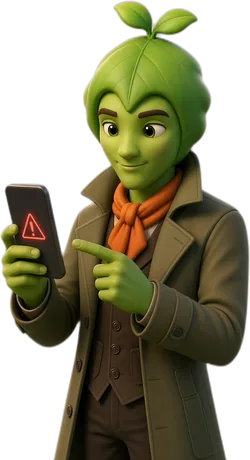
The mascot pointing at a phone that shows a warning triangle

Look-alike wallet addresses

A scammer can send a tiny transfer so a similar-looking address appears in your history.

  • Do not copy an address from your history
  • Compare the whole address, including the middle
  • Get the address from the person or service you mean to pay, through a channel you trust
The mascot holding up one hand in a stop gesture

Pressure, secrecy and “guaranteed” returns

Investment or romance contacts that move fast, ask you to keep it private, or promise results.

  • Slow down and talk to someone you trust
  • Promises of guaranteed high returns are a classic scam sign
  • Do not move the chat to a private app because someone asks

Free tools

Check a situation, or test yourself

The mascot holding a clipboard with a checklist
Free tool

Crypto Scam Checker

A short yes-or-no checklist. Tick what happened, and the page shows plain-English warning signs and what to do instead, drawn from official sources.

It only asks yes-or-no questions. It never asks for a seed phrase, key, password or 2FA code, it never says a situation is safe, and it cannot promise that lost funds can be returned. It runs in your browser and sends nothing anywhere.

Free tool

Scam or Not?

Twenty realistic situations. Decide if each one is a scam or legit, then see the red flag and a short explanation.

It runs in your browser and sends nothing anywhere. There is no account, and it never asks for a seed phrase, key, password or 2FA code. Educational only, not financial advice.

Weekly Scam Alerts

A short weekly scam warning

Short, dated roundups of scam warnings from official sources, with the source named for each. They are posted on Ko-fi; follow on X for new ones.

The mascot raising one finger as if making a point

Follow

Find Greenleaf DeFi

If you think you have been scammed

In Canada: report to the Canadian Anti-Fraud Centre.

In the United States: report to the FBI’s Internet Crime Complaint Center (IC3).

Contact your exchange or wallet provider only through its official site or app. Do not use a number or link from a message you did not ask for.